|
Your coding agent gets only the context it needs — automatically. No copy-paste, no bloated prompts. Just signal.

AI models drown in raw code
When you feed an entire codebase to a language model, most of the context window is wasted on boilerplate, syntax noise, and duplicated structure. The model works harder, costs more, and understands less.
Your context window fills with boilerplate, imports, and syntax noise — tokens the model doesn't need and that crowd out the signal it does.
A flat file dump strips away architecture. The model can't see type relationships, call graphs, or module boundaries — just disconnected lines of text.
Without structural context, models guess at dependencies and hallucinate relationships. You waste more tokens on corrections than new code.
Automatic. Zero copy-paste.
Deltrace registers inside your coding agent. When repository context helps, the agent can ask Deltrace to sync, compress, and return the relevant codebase context.
When the agent calls Deltrace, changed files are parsed and indexed by the engine. Symbols, relationships, and structure are extracted into a compact representation.
Deltrace builds compressed context from the most relevant parts of your codebase for the query at hand. No manual copy-paste, no bloated prompts.
Claude or Codex receives structured context through MCP when it asks for it. The model sees signal, not noise.
Works inside the tools
you already use
Deltrace connects to Claude Code and Codex through MCP. Set it up once, then your agent can call Deltrace whenever repository context would help. No provider proxy, no manual file dumping.

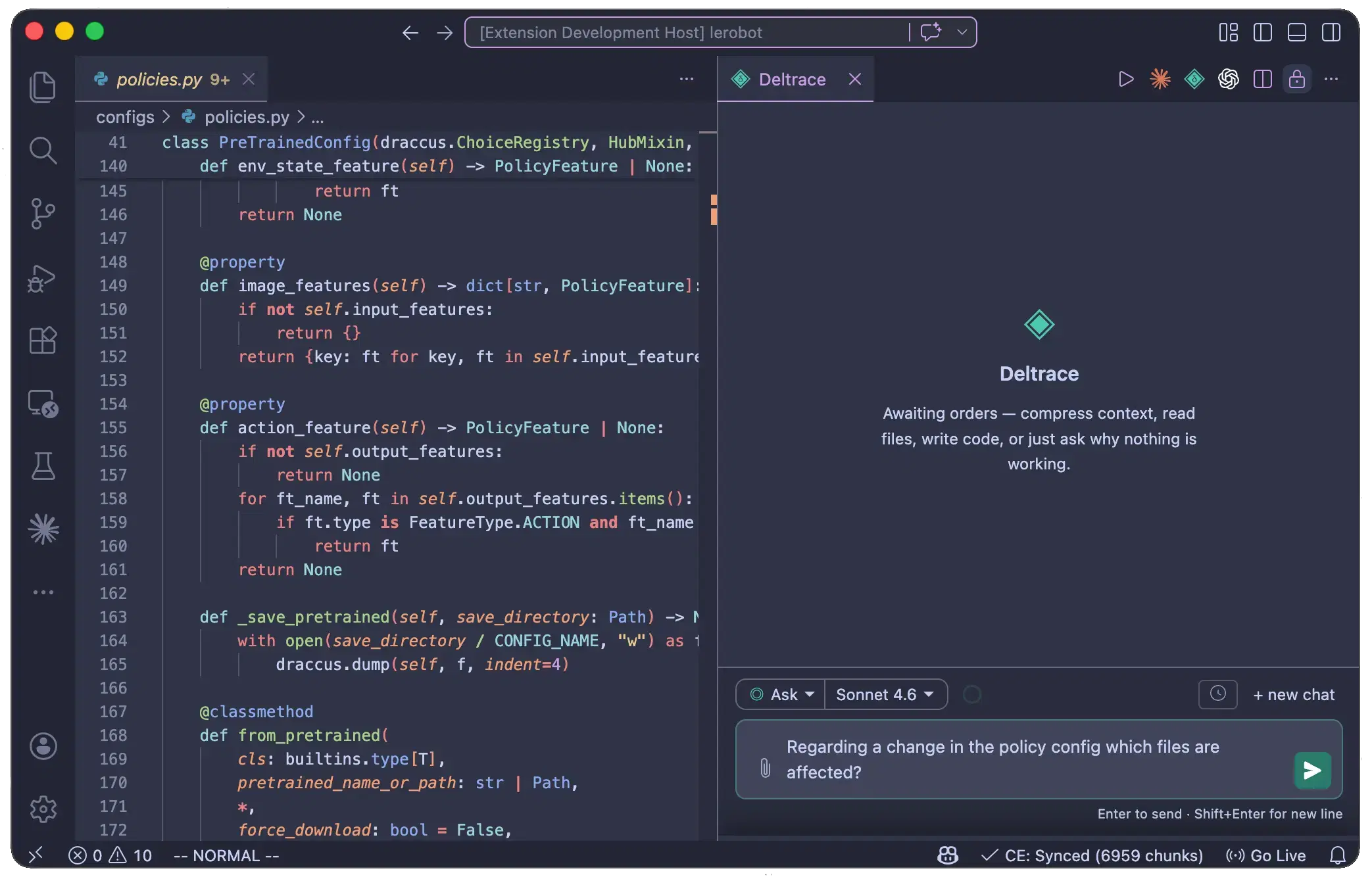
Coming to VS Code
A native VS Code extension is in development. Compress your context, resolve dependencies, and send structured code to any AI model — without leaving your editor.
What's shipping
Core integrations and the compression engine are live. Editor support is on the way.
Now in closed beta.
Request access and we'll send you an invite when your spot is ready.